Scan Your Food.
Track Your Macros.
Reach Your Fitness Goal.
ProteinFit is an AI meal protein scanner for athletes. Scan a meal or barcode and instantly understand calories, protein, carbs, and fat — personalized for muscle gain, cutting, or sport-based weight loss.

Your sport decides what your plate owes you.
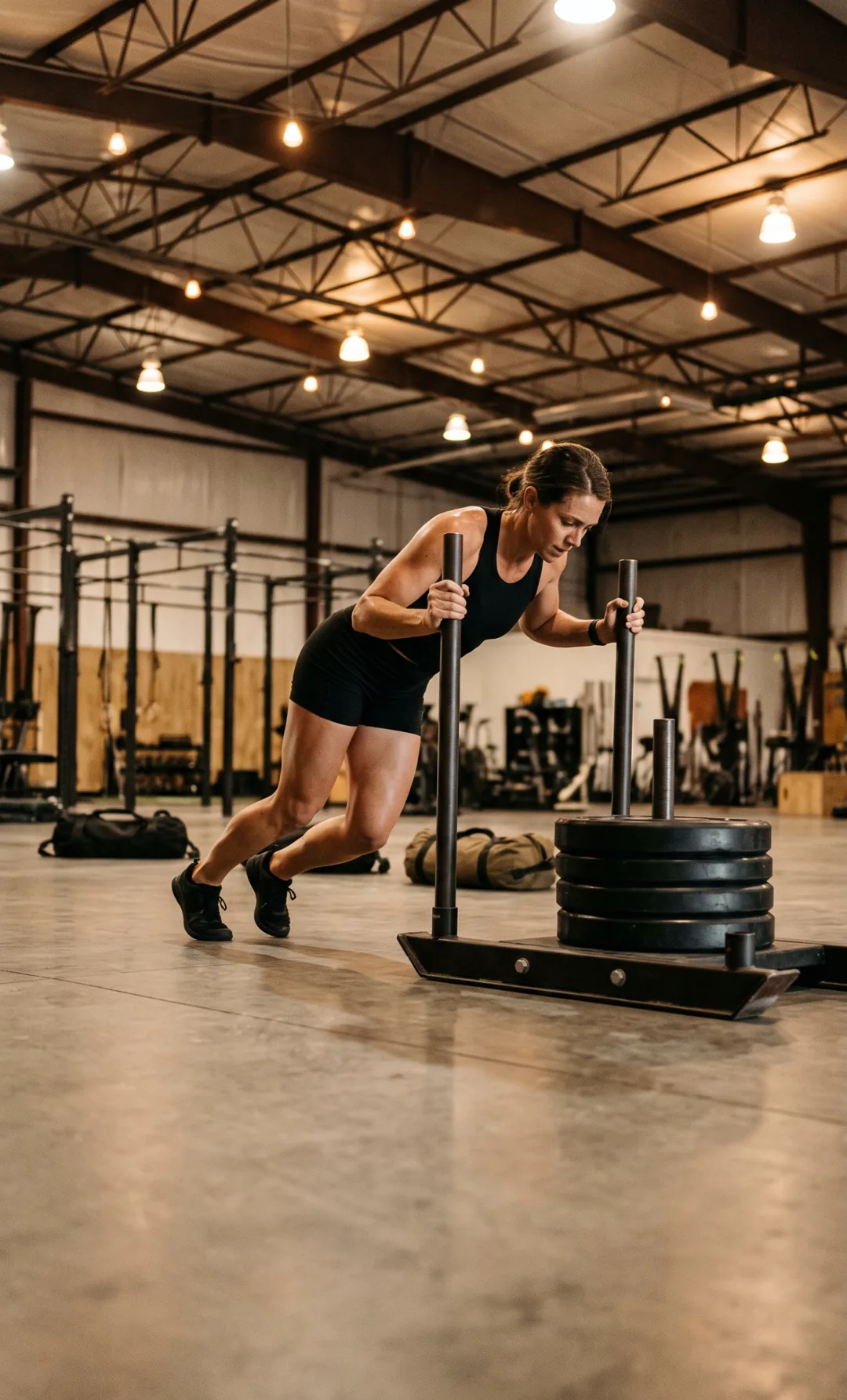
A sled push and a heavy single do not cost the same. Pick yours.



Why do athletes struggle to hit their daily protein target?
Athletes usually miss their protein target because manual food logging is too slow to keep up with four or five meals a day, not because they lack discipline. The International Society of Sports Nutrition (ISSN) states that "an overall daily protein intake in the range of 1.4–2.0 g protein/kg body weight/day (g/kg/d) is sufficient for most exercising individuals", ideally split into doses of 0.25 g/kg, or 20–40 g, every 3–4 hours. For an 80 kg lifter that is 112–160 g of protein a day spread over four or five feedings, and each one has to be logged to know where the day stands.
Manual logging means searching a food database, guessing portion weights and typing each ingredient. In a 2019 study published in Obesity, people in a weight-loss program spent an average of 23.2 minutes per day logging their food in the first month. Barcode apps only cover packaged food, so the homemade and restaurant meals that carry most of an athlete's protein get skipped. Generic calorie counters also give a cutting athlete and a bulking athlete the same advice, even though the ISSN reports evidence that intakes above 3.0 g/kg/day may help resistance-trained people lose fat mass. The friction adds up: across two mobile weight-loss trials analysed in the Journal of the Academy of Nutrition and Dietetics, researchers found "fewer than half the sample still tracking after Week 10". ProteinFit was built to close that gap: scan the meal, see the protein first, and know what the next meal needs to deliver.
Sources: ISSN Position Stand: Protein and Exercise (Jäger et al., 2017) · Harvey et al., Log Often, Lose More, Obesity (2019) · Turner-McGrievy et al., J Acad Nutr Diet (2019)
- Manual logging means searching, weighing and typing every ingredient.
- Barcode apps cannot read homemade or restaurant meals.
- Generic calorie apps give a cutting and a bulking athlete the same advice.
How does ProteinFit scan a meal?
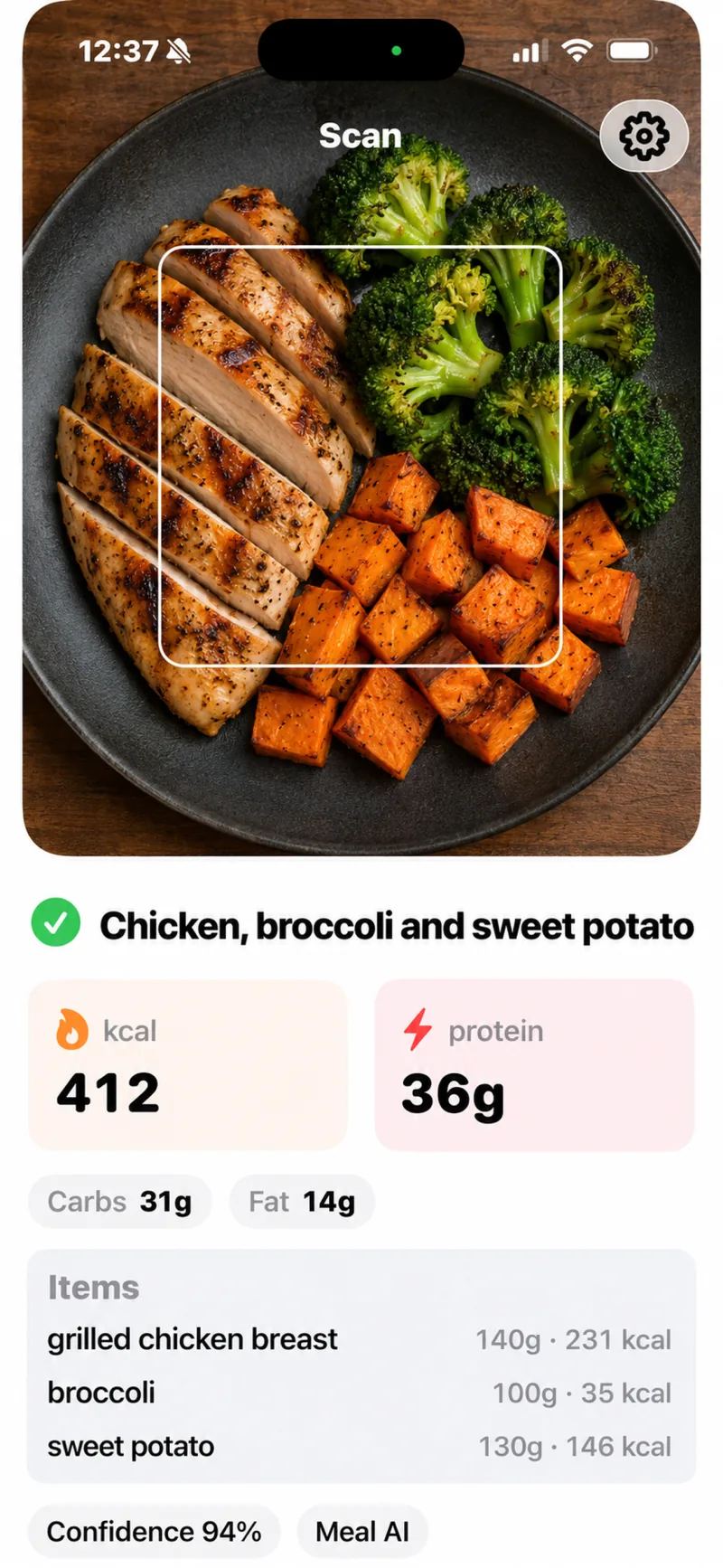
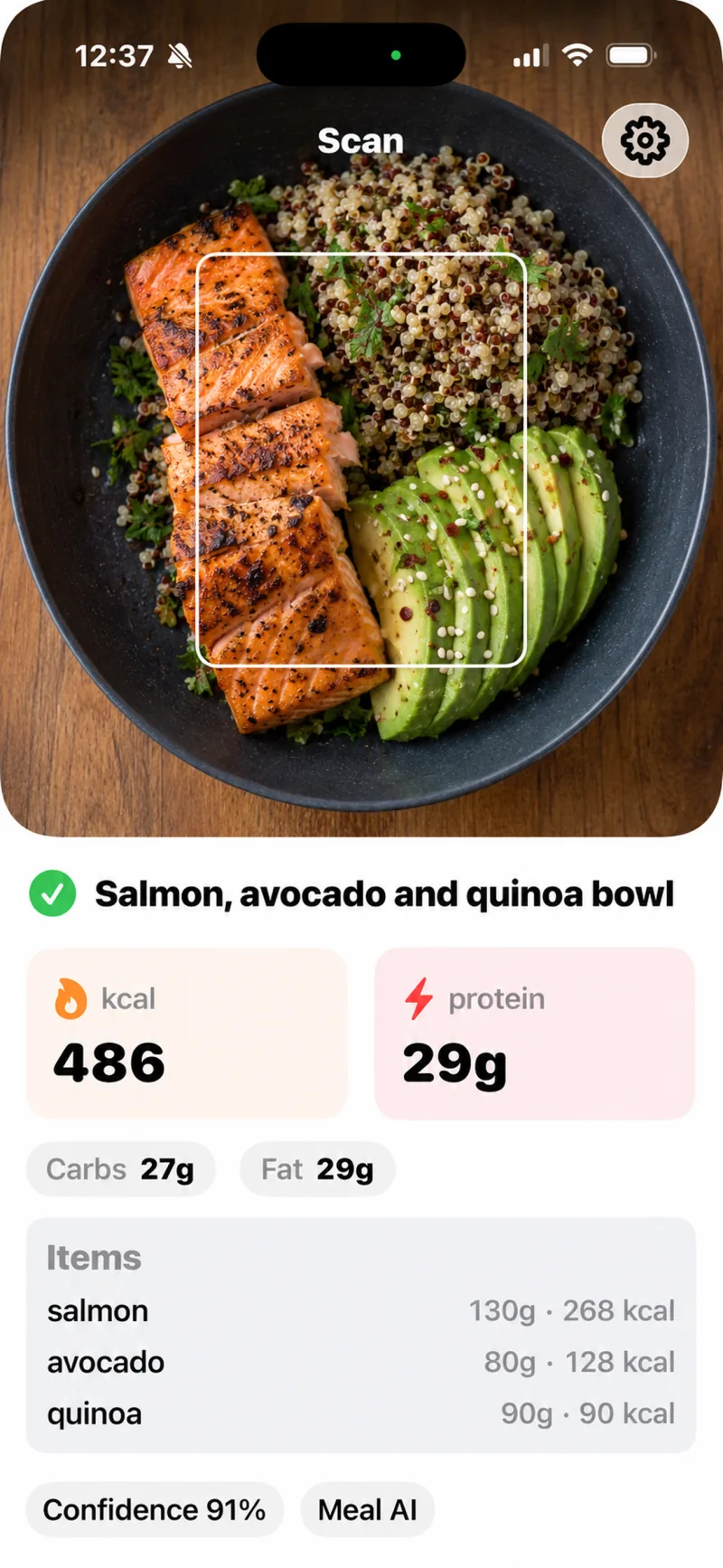
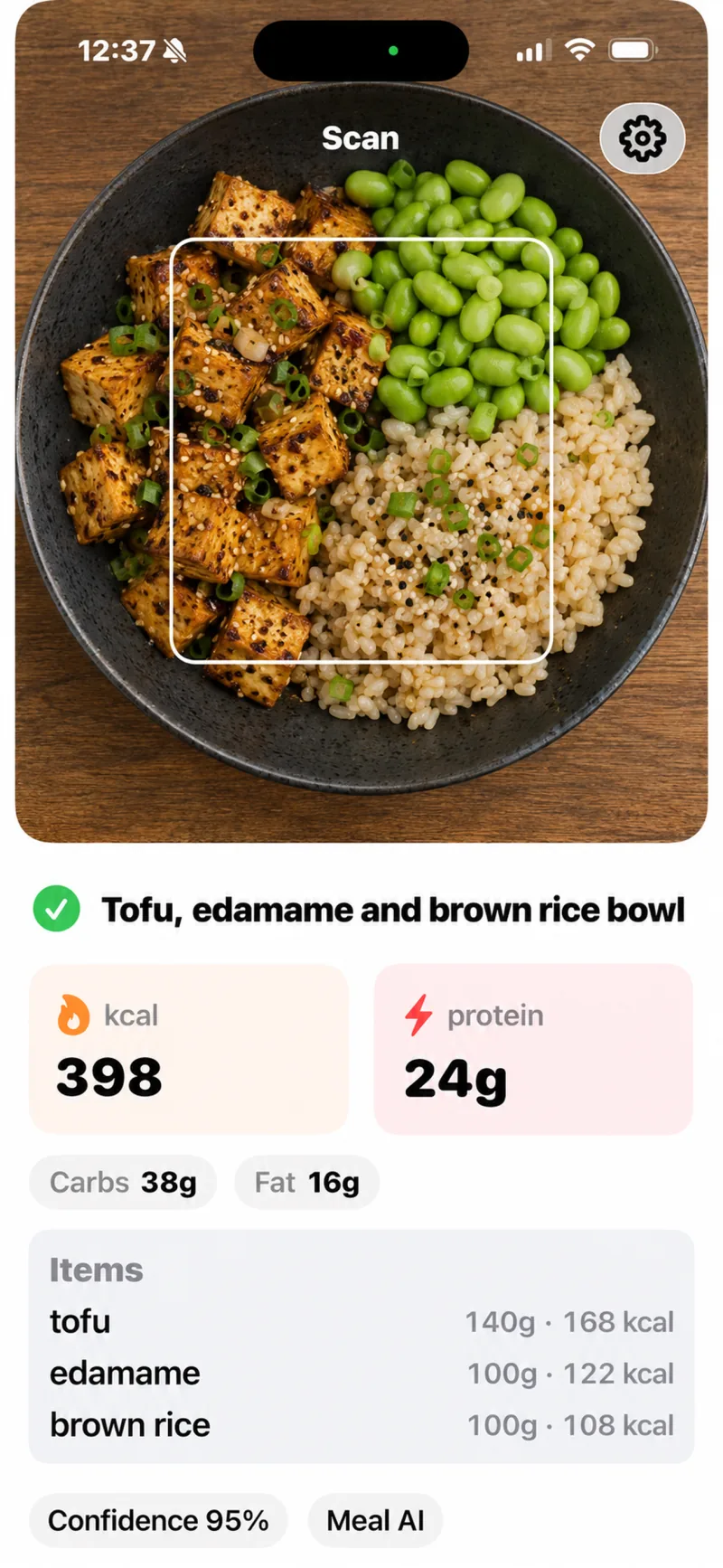
ProteinFit estimates the calories, protein, carbs and fat in a meal from one phone photo, or reads a packaged product's barcode. For a photo, ProteinFit sends the image to an AI vision model from OpenAI, which identifies each food on the plate, estimates its portion and returns a macro breakdown with a confidence score. According to the ProteinFit privacy policy, only the derived nutrition estimate is kept, not the original photo.
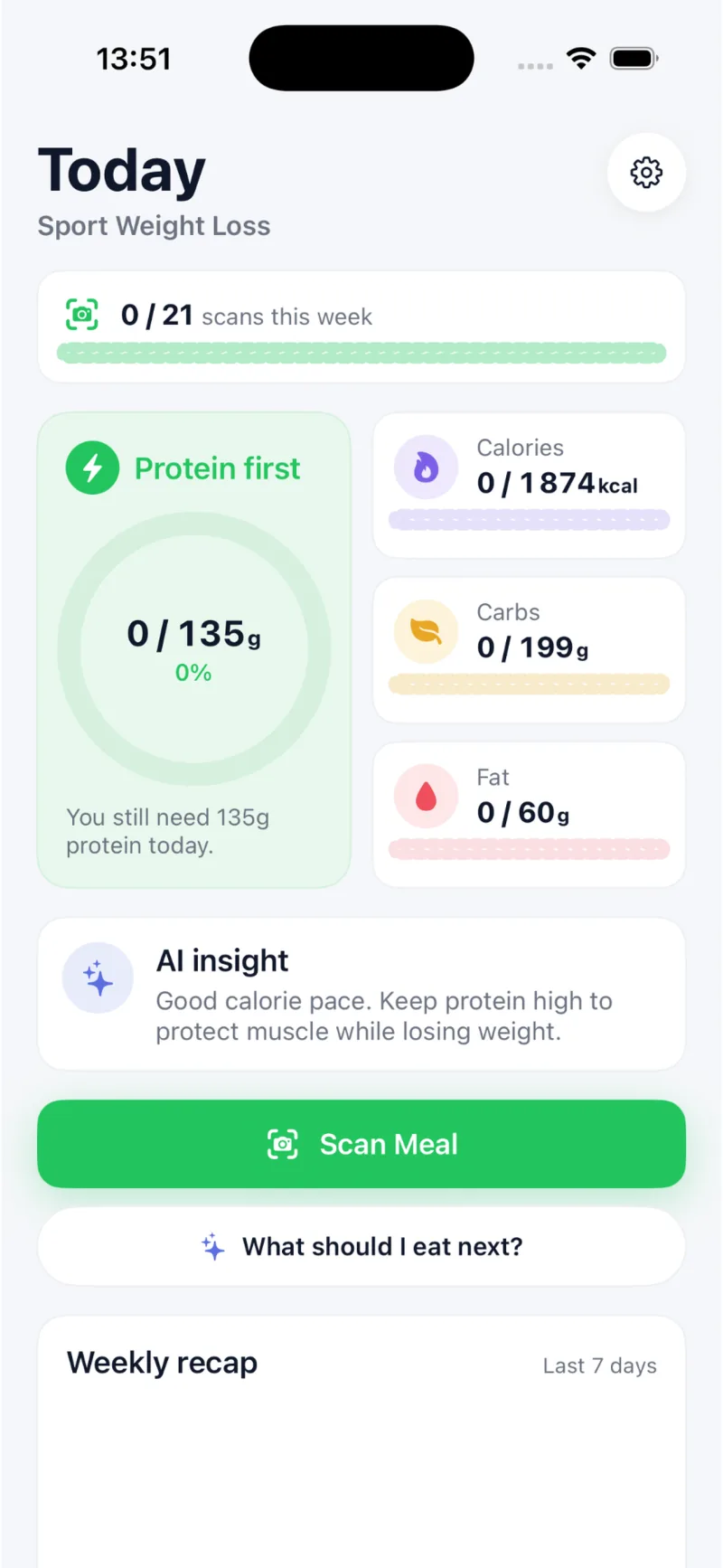
For packaged food, ProteinFit looks the barcode up in Open Food Facts, a non-profit open database whose contributors "have added 4 000 000+ products from 150 countries". Each result then feeds the ProteinFit daily dashboard, where protein is the headline number and calories, carbs and fat sit beside it. The free plan includes 5 meal scans per week and ProteinFit Pro removes the limit. Every result is an estimate: portion size, cooking oil and sauces are the main sources of error, which is why ProteinFit lists the foods it detected alongside the numbers.
Sources: Open Food Facts · ProteinFit privacy policy
How does ProteinFit set protein targets for muscle gain, cutting and weight loss?
ProteinFit sets the daily protein target in grams per kilogram of body weight, and the multiplier depends on the goal: 2.0 g/kg for muscle gain, 2.2 g/kg for cutting and 1.8 g/kg for sport weight loss. For an 80 kg athlete that is 160 g of protein a day when gaining, 176 g when cutting and 144 g when losing weight through sport. Calories start from the Mifflin-St Jeor resting-energy equation, multiplied by 1.30 to 1.75 depending on training sessions per week, then adjusted by +10% for muscle gain, −15% for cutting and −20% for sport weight loss, never below 1,200 kcal. Fat is set at 0.8 g/kg and carbohydrate fills the remaining calories. Cutting gets the highest protein multiplier because protein protects lean mass in a calorie deficit; the International Society of Sports Nutrition reports "novel evidence that suggests higher protein intakes (>3.0 g/kg/d) may have positive effects on body composition in resistance-trained individuals".
The calculator on this page shows ranges rather than single values: 1.6–2.2 g/kg of protein for muscle gain, 1.8–2.4 g/kg for cutting, and carbohydrate from 2.0 g/kg on a strength athlete's rest day while cutting to 8.8 g/kg on a hard running or Hyrox day while gaining. For comparison, the 2016 joint position statement of the American College of Sports Medicine, the Academy of Nutrition and Dietetics and Dietitians of Canada sets 3–5 g/kg of carbohydrate for light days and 6–10 g/kg for high-volume days of 1–3 hours. Each scanned meal is then judged against the active goal, so the same plate can be on target for a bulk and over budget for a cut.
Sources: ISSN Position Stand: Protein and Exercise (Jäger et al., 2017) · ACSM / AND / DC Joint Position Statement: Nutrition and Athletic Performance (2016)
Stay in a clean surplus and make sure you hit your daily protein target.
- Protein target tracking
- Calorie surplus guidance
- Post-workout meal suggestions
- Macro gap alerts
Reduce body fat while keeping protein high and calories under control.
- Calorie deficit tracking
- High-protein guidance
- Carb and fat balance
- Lean food suggestions
Lose weight through training without under-eating or sacrificing muscle.
- Simple daily targets
- Protein-first recommendations
- Habit-friendly tracking
- Progress-focused feedback
Your Target Changes With Your Training Day
Most calculators hand you one number for all seven days. Set your sport and goal to see what a rest day and a hard session day actually ask of you.
Roughly 2 hard days, 2 lighter, 3 full rest.
Estimated ranges — individual needs vary.
No session, or active recovery only.
Heavy sets and long rests — protein-led, with real glycogen cost on volume days.
A hard session buys you about +155 g of carbs and +625 kcal.
ProteinFit moves that target for you, then scores every meal you scan against the day you are actually having.
5 free scans per week · Pro Monthly or Annual for unlimited
Targets never drop below your resting burn of about 1790 kcal.
Ranges derived from published sports nutrition guidance:
- ISSN Position Stand: Protein and Exercise (Jäger et al., 2017) — 1.4–2.0 g/kg/day to build and maintain muscle mass, with higher intakes during energy restriction.
- ACSM / AND / DC Joint Position Statement: Nutrition and Athletic Performance (2016) — carbohydrate 3–5 g/kg on light days, 6–10 g/kg on high-volume days.
If you compete in a weight class, plan weight management with a qualified coach or sports dietitian — this tool is not built for cutting to a weigh-in.
Everything athletes need to stay on track.
Practical tools, not feature bloat.
See ProteinFit in action.
Real screens from the iPhone app. Designed for athletes, built for speed.
Does ProteinFit work with smart glasses?
Not yet: ProteinFit scans meals with the phone camera today, and smart-glasses support is not part of the app. ProteinFit runs on iPhone with iOS 18 or later and on Android through a beta on Google Play. Every meal scan already works from a single still photo, sent to an OpenAI vision model that returns calories, protein, carbs and fat. That design means the same pipeline could accept a frame from a glasses camera instead of a phone, which would turn logging into a hands-free glance at the plate. ProteinFit has not announced a release date for smart-glasses support.
How is ProteinFit different from a generic calorie counter?
ProteinFit differs from a generic calorie counter in three ways: it logs a meal from a photo instead of a database search, it puts protein ahead of calories on every screen, and it judges each meal against a training goal. Most calorie counters start from a text search or a barcode, which works for a protein bar but not for a home-cooked curry or a restaurant plate. ProteinFit handles both, with AI photo recognition for plated food and barcode lookup against the more than 4 million products in Open Food Facts for packaged food.
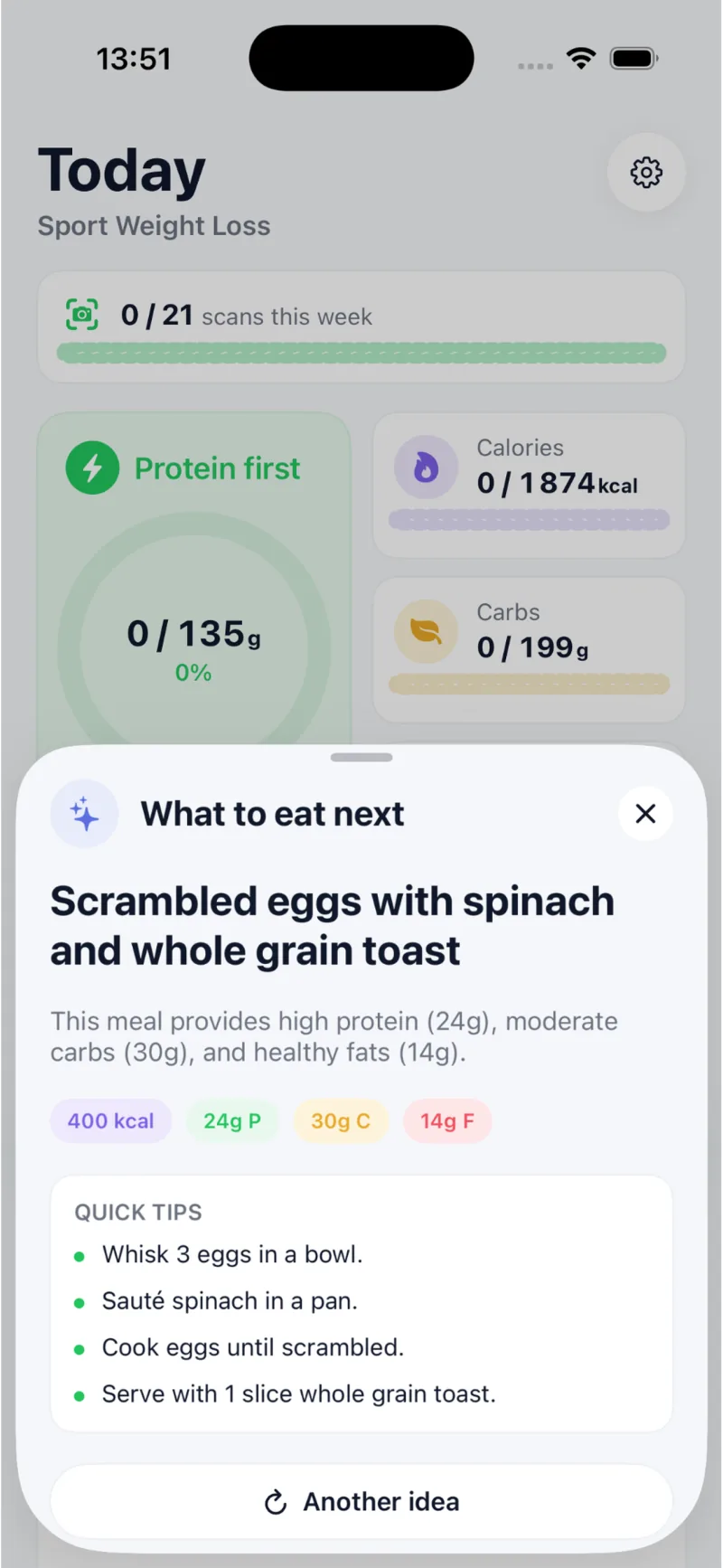
The ProteinFit dashboard is built around a protein progress ring because protein needs scale with body weight: the International Society of Sports Nutrition puts them at 1.4–2.0 g per kg per day for most exercising people, a figure a calorie total alone cannot show. Goal modes then change the verdict on each meal, so the same plate can fit a muscle-gain surplus and break a cutting deficit. ProteinFit also suggests what to eat next based on the macros left that day. ProteinFit is not a medical app and does not replace a dietitian; its numbers are estimates meant to keep daily intake close to target.
Sources: ISSN Position Stand: Protein and Exercise (Jäger et al., 2017) · Open Food Facts
| Feature | Generic calorie apps | ProteinFit |
|---|---|---|
| Barcode scan | ||
| Food photo scan | ||
| Macro tracking | ||
| Goal-based advice | Strong | |
| Muscle gain mode | ||
| Cutting mode | ||
| Protein-first dashboard | ||
| Smart glasses roadmap |
How much does ProteinFit cost?
ProteinFit is free to download, and ProteinFit Pro costs $3.99 per month or $34.99 per year on the US App Store. The free plan includes 5 AI meal scans per week, the daily calorie and protein dashboard, personal goal targets and meal history. When the weekly scans run out, a free user can watch a short video to earn one bonus scan instead of waiting for the weekly reset.
ProteinFit Pro removes the weekly scan limit and adds a detailed macro breakdown for every meal, AI coaching tailored to the user's goal and an ad-free app. The App Store listing gives "eat 35g more protein at dinner" as an example of that coaching. Paying yearly works out to about $2.92 per month, 27% less than twelve monthly payments of $3.99 ($47.88). Subscriptions are billed by Apple or Google, so ProteinFit never sees a card number, and they renew automatically unless cancelled at least 24 hours before the period ends. Prices outside the US are set per store region. ProteinFit runs in English and French on iPhone with iOS 18 or later, and on Android through a beta on Google Play.
Sources: ProteinFit on the App Store
Prices last checked 28 October 2026.
- 5 AI meal scans per week
- Daily calorie + protein dashboard
- Personal goal targets
- Meal history
- Unlimited meal scans
- Detailed macro breakdown
- AI coaching for your goal
- No ads
- Everything in Pro Monthly
- 27% less than 12 monthly payments
What happens to my meal photos in ProteinFit?
ProteinFit sends a meal photo to its servers and to its AI provider, OpenAI, only to estimate calories and macros, and keeps the resulting nutrition estimate rather than the original photo, according to the ProteinFit privacy policy. Account details, meal history and subscription status are kept for as long as the account exists; deleting the account removes all personal data from ProteinFit's active databases within 30 days. Subscriptions are paid through the Apple App Store or Google Play, so ProteinFit never sees a card number. ProteinFit asks for camera access only to take meal photos. Users can ask ProteinFit to access, correct or delete their data, and ProteinFit commits to respond within 30 days. Signing out of ProteinFit clears the app's cache on the device. On its App Store privacy label, ProteinFit also declares that device identifiers and usage data may be used for third-party advertising, which applies to the ads in the free plan; ProteinFit Pro has no ads.
Sources: ProteinFit privacy policy · ProteinFit on the App Store
Frequently asked questions
Quick answers about ProteinFit. For anything else, reach out.
- What is ProteinFit?
ProteinFit is an AI meal scanner for iPhone and Android that estimates the calories, protein, carbs and fat in a meal from one photo or a barcode. ProteinFit is built by DjioniDev for people who train, with goal modes for muscle gain, cutting and sport weight loss, and is available in English and French.
- How does ProteinFit scan meals?
You take a photo of the plate and an OpenAI vision model identifies each food, estimates portions and returns calories, protein, carbs and fat with a confidence score. Packaged food can be scanned by barcode instead, using the Open Food Facts database of more than 4 million products from 150 countries.
- How much protein do I need to build muscle?
The International Society of Sports Nutrition (2017) recommends 1.4–2.0 g of protein per kg of body weight per day for most exercising people, in doses of about 0.25 g/kg (20–40 g) every 3–4 hours. The ProteinFit app sets 2.0 g/kg for muscle gain, which is 160 g a day for an 80 kg athlete.
- Does ProteinFit estimate protein?
Yes. Protein is the primary metric in ProteinFit: every scan shows the protein estimate first, followed by calories, carbs and fat, and the daily dashboard is built around a protein progress ring.
- Can ProteinFit help while cutting?
Yes. In cutting mode ProteinFit raises the protein target to 2.2 g per kg of body weight and sets calories 15% below maintenance, keeping protein visible while you eat in a deficit because higher protein helps preserve lean mass. ProteinFit tracks intake; it does not guarantee results.
- How many free scans do ProteinFit users get?
The ProteinFit free plan includes 5 AI meal scans per week. When they run out, you can watch a short video to earn one bonus scan, or upgrade to ProteinFit Pro for unlimited scans.
- How much does ProteinFit Pro cost?
ProteinFit Pro costs $3.99 per month or $34.99 per year on the US App Store; the yearly plan works out to about $2.92 per month. Pro unlocks unlimited weekly scans, a detailed macro breakdown for every meal, AI coaching tailored to your training goal and an ad-free app.
- Is ProteinFit available on Android?
Yes, as a beta. Join the proteinfit-testers Google Group, then opt in on Google Play with the same Google account. You can also install the APK directly from the ProteinFit website, though subscriptions are not available in the direct install yet.
- Does ProteinFit work for restaurant meals?
Yes. You can scan a restaurant plate the same way as a homemade meal. Results are estimates, and restaurant cooking oil, sauces and portion sizes vary more than home cooking.
- Is ProteinFit a medical nutrition app?
No. ProteinFit provides meal estimates to help you understand your nutrition. ProteinFit does not give medical advice, diagnose conditions, or replace a registered dietitian or healthcare professional.
Ready to make every meal count?
Download ProteinFit on iPhone and start tracking your nutrition with an AI meal protein scanner built for your fitness goal.